

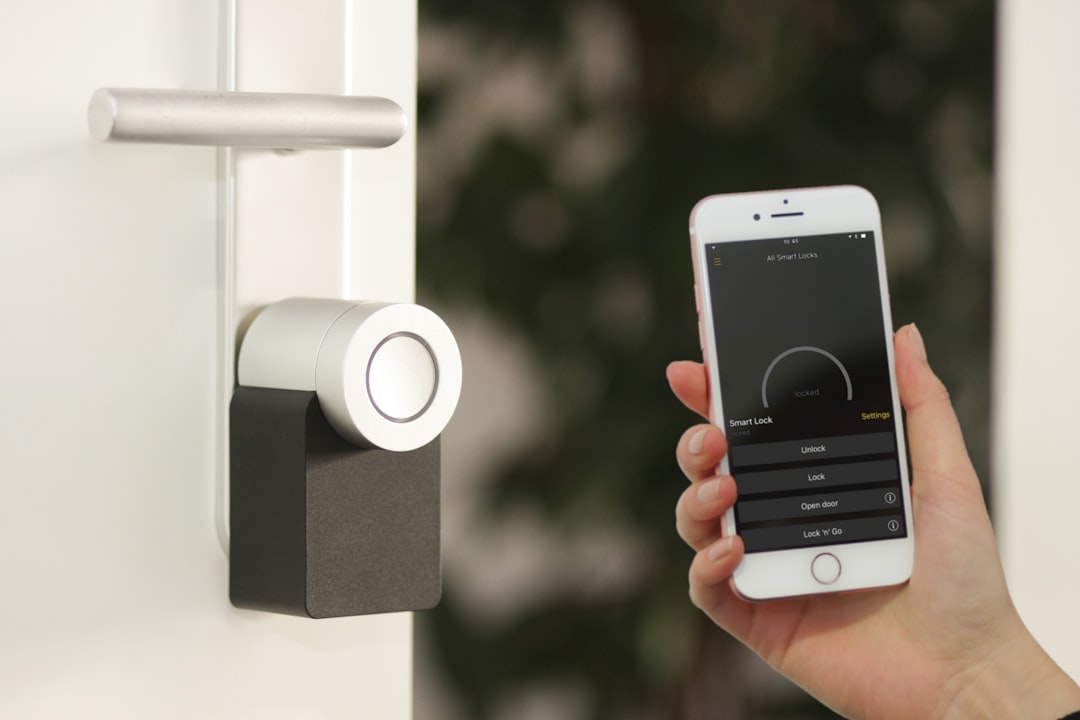
Smart Home Tips to Make Everyday Living Easier
Smart home technology has moved from niche to necessary for many households. With a thoughtful setup, common tasks become faster, routines feel effortless, and small problems are prevented before they grow.
This guide gives practical, reliable tips you can apply right away — from choosing the right hub to automations, security best practices, and energy-saving habits. Each section focuses on clear steps and product types to consider so you can simplify daily life without extra complexity.
Choose the right smart hub and standards
Your smart home succeeds or fails based on how well devices communicate. Start by deciding on a central hub or platform (Apple HomeKit, Google Home, Amazon Alexa, or a neutral bridge). Prioritize devices that use common standards (Wi‑Fi, Zigbee, Z‑Wave, Matter) to avoid lock-in and reduce compatibility headaches.
If you’re shopping for controllers, sensors, or bridges, look in the electronics category for hubs, compatible sensors, and reliable brand options. Choose a hub that supports over-the-air updates and local control where possible to reduce cloud dependency.
Automate daily routines — start small and iterate
Identify 2–3 daily pain points (morning wakeup, leaving the house, bedtime) and automate them. Practical routines include:
- Morning: Gradually brighten lights, start the coffee machine, and read out the day’s calendar events.
- Away: Trigger geofencing to lock doors, lower thermostats, and arm security sensors.
- Night: Dim lights, turn off nonessential outlets, and set motion sensors to active.
Keep automations conditional and simple (time-based + presence + sensor state). Test each rule for a week and tweak delays or triggers so they feel natural rather than robotic.
Smart lighting for convenience and safety
Lighting is one of the fastest wins for comfort and security. Replace key bulbs with dimmable smart bulbs, add motion sensors in hallways and closets, and use schedules to simulate occupancy when you’re away.
For larger scope upgrades — like integrating lamps, switches, or smart plugs across rooms — consult resources in the Home and Kitchen category for coordinated fixtures and accessories that simplify installation and styling. Prioritize human-centric control: manual switches should still function if the network is down.
Make the kitchen smarter — practical appliance integrations
The kitchen is where automation pays off every day. Smart plugs, Wi‑Fi-enabled coffee makers, and smart ovens can shave minutes from routine tasks and cut energy waste by scheduling off-times. Use labels and zone-based automations so appliances only run when someone is home or during lower-rate energy periods.
When choosing replacements and accessories, check the Kitchen and Dining category for durable, compatible cookware and small appliances that support smart features or easily pair with smart plugs and voice commands.
Streamline cleaning and maintenance
Robotic vacuums, smart plugs for scheduling, and sensor-driven reminders reduce mental load. Schedule robot cleanups for high-traffic times, and attach water/leak sensors near washing machines, dishwashers, and water heaters to get immediate alerts.
Keep essential consumables and filters on hand and organized; label replacement cycles and sync them with calendar reminders. For supplies like cleaners, filters, and microfiber cloths, browse the household supplies category to standardize what you keep at home and make restocking predictable.
Secure your smart home the right way
Security is a practical priority, not an afterthought. Use a dedicated Wi‑Fi network or VLAN for smart devices, enable strong unique passwords, and turn on two‑factor authentication where supported. Keep firmware updated on routers, cameras, and hubs.
Position cameras strategically (entry points and common areas), but avoid oversaturating your network. Configure notifications to avoid alert fatigue: only critical events (door unlocks, water leaks, smoke/CO alarms) should trigger immediate push alerts.
Use voice assistants effectively — set limits and routines
Voice assistants are convenient, but unstructured use can create clutter. Create named routines (“Good Morning,” “Bedtime”) that group multiple actions into single voice commands. Limit account access for guests and disable purchasing or personal data readouts unless you explicitly enable them.
Teach household members consistent command phrases to reduce confusion and ensure everyone benefits from the same automations. Pair voice routines with physical controls (switches, keypad) for accessibility and redundancy.
Monitor energy and reduce waste
Smart plugs with energy monitoring, smart thermostats, and connected meters reveal where power is being used. Start by measuring a few high-consumption devices (HVAC, water heater, major appliances) for a month to spot trends and unnecessary loads.
Small changes compound: shift laundry to off-peak hours, use eco modes on dishwashers and ovens, and set thermostats to smart schedules. Automations can lower the thermostat when the house is empty and raise it shortly before typical return times to maintain comfort without waste.
Checklist — Quick setup and maintenance tasks
- Inventory devices and assign a naming convention (room-device-type).
- Create one morning and one away automation to start.
- Segment smart devices onto a guest or IoT Wi‑Fi network.
- Enable automatic firmware updates where safe; schedule manual checks monthly.
- Place water sensors near appliances and motion sensors in hallways.
- Label and calendar reminders for filter and battery replacements.
- Backup hub and automation configurations if supported.
FAQ
Q: Which devices should I automate first?
A: Start with daily repetitive tasks that save time or prevent issues — lighting, coffee, locks, and anomaly sensors (smoke, water). Choose one routine for mornings and one for leaving the house.
Q: How do I keep my smart home secure?
A: Use a separate network for IoT devices, enforce strong passwords, enable 2FA for accounts, update firmware, and limit cloud dependencies when possible. Place critical alerts for only the highest‑priority events.
Q: Will automations break if my internet goes down?
A: Some automations rely on cloud services and will fail without internet. Prefer local-control hubs and devices when reliability is critical (locks, alarms, essential lighting).
Q: How do I prevent too many notifications?
A: Configure notification rules so only important events generate push alerts. Use summary digests for low-priority events and set quiet hours to avoid disturbance at night.
Q: Can I mix brands and platforms?
A: Yes — prioritize devices that support common standards (Matter, Zigbee, Z‑Wave) and use a hub that can bridge multiple ecosystems to reduce friction.
Conclusion — One practical takeaway
Start small: pick two pain points, choose devices that support common standards, and build simple automations that improve daily life. Prioritize security and local control, keep consumables and maintenance on a schedule, and iterate based on real use. Over time these small changes add up to noticeably easier, safer, and more efficient everyday living.